HippoBox vs the native LinkedIn inbox
By HippoBox Team · 21 May 2026 · 6 min read
LinkedIn's native inbox is useful for sending and receiving messages. It is not designed as a serious LinkedIn inbox management tool for people who process dozens of conversations, track leads, and need to follow up reliably.
Where LinkedIn works well
The native LinkedIn inbox is fine for occasional conversations. If you only reply to a handful of messages each week, LinkedIn already gives you the basics.
Where HippoBox is different
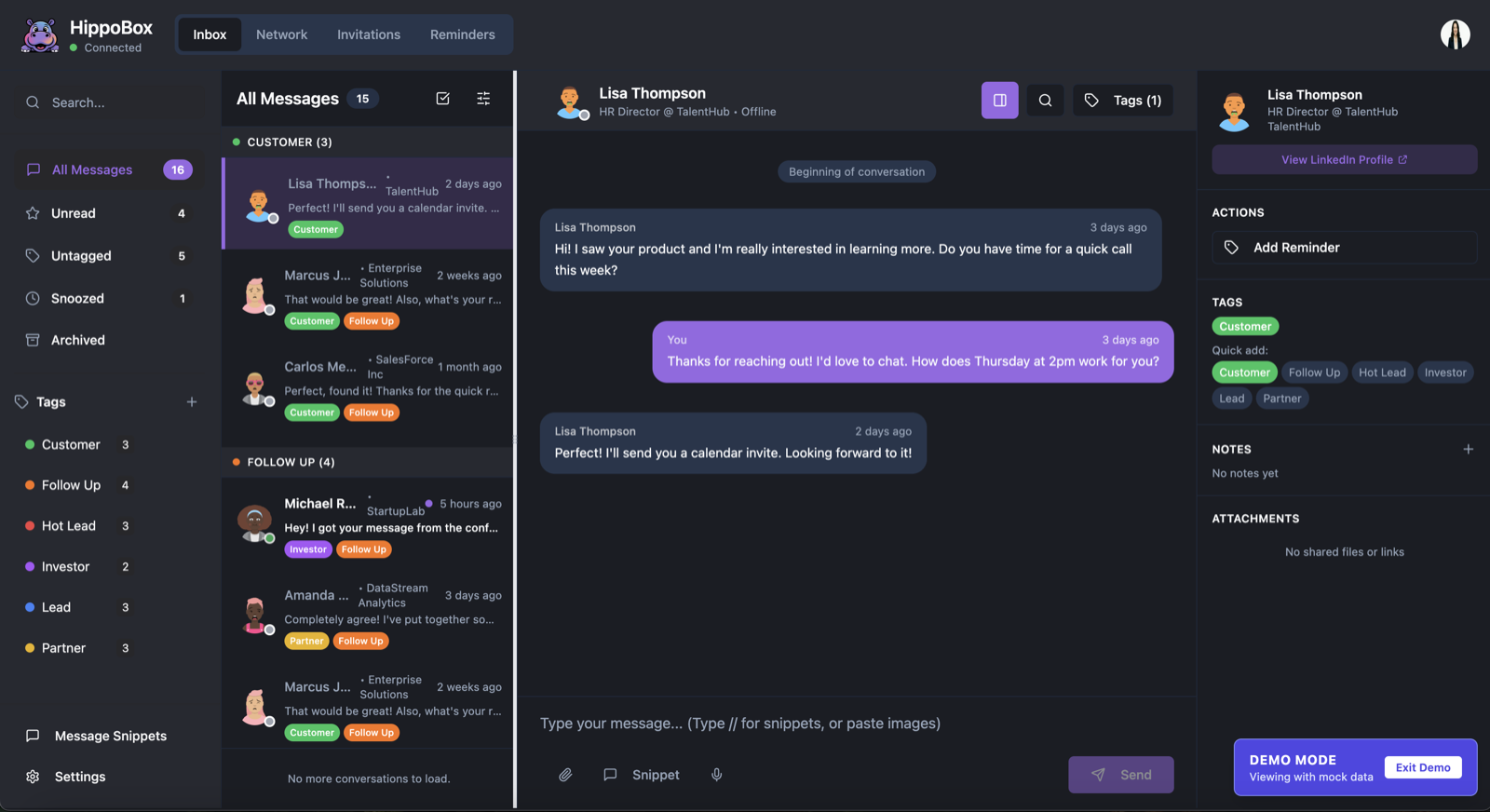
HippoBox is built for people who treat LinkedIn DMs as a work inbox. It adds custom tags, reminders, snippets, keyboard shortcuts, recent connection views, and previously contacted signals so you can work toward inbox zero without losing relationship context.
Privacy and data
HippoBox is privacy-first. LinkedIn message content is stored locally in your browser. HippoBox servers sync account data, billing state, tags, reminders, snippets, and message IDs, but not the content of your LinkedIn conversations.
Quick comparison
Native LinkedIn
- Good for basic sending and receiving
- No custom inbox workflow
- Limited follow-up management
- Hard to organise high-volume DMs
HippoBox
- Tags, reminders, snippets, and search
- Inbox zero workflow for LinkedIn DMs
- Recent connections and previous-contact signals
- Message content stored locally in your browser